
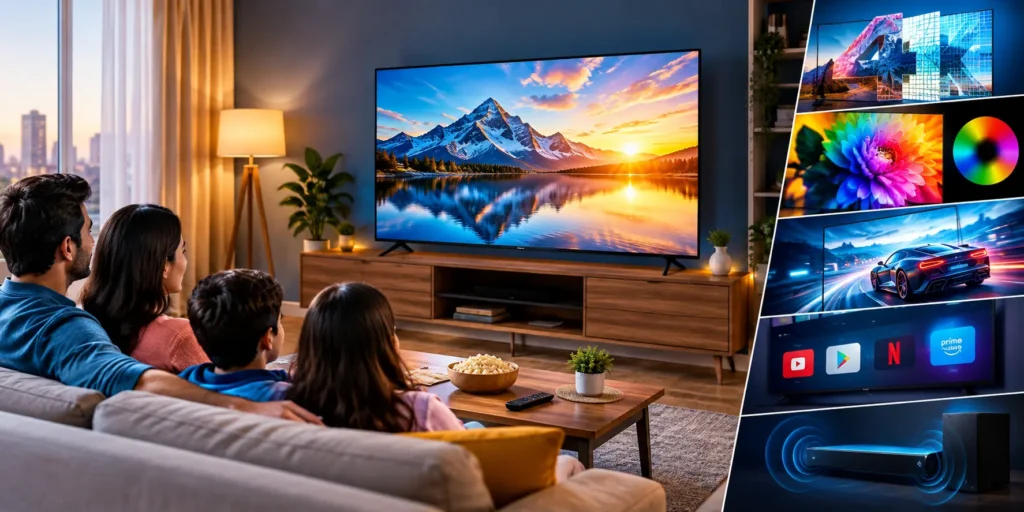
Buying a new LED TV sounds simple, right?
You choose the screen size, check the price, look at a few reviews and place the order.
But then you start comparing TVs and suddenly you see 4K, HDR, QLED, Mini LED, Dolby Vision, 120Hz, HDMI 2.1, Google TV, AI features and a whole list of other specifications.
And honestly, it can get confusing.
The good news is that you don’t need to understand every technical term to buy a good TV. You simply need to know which features actually matter for your type of viewing.
In 2026, even relatively affordable TVs can offer 4K resolution and smart-TV platforms, while QLED and Mini-LED technologies are available at increasingly lower price points.
So, before clicking that tempting “Buy Now” button, let’s look at the things worth checking.
1. First Decide: How Big Should Your TV Be?
This is probably the first thing you should decide.
A bigger TV looks exciting in a showroom, but the same TV can feel unnecessarily large if your room or viewing distance is limited.
For a typical Indian living room, sizes such as 43-inch, 50-inch, 55-inch and 65-inch are common choices.
Think about:
- How far you normally sit from the TV
- The size of your TV cabinet or wall
- Whether you mainly watch cable/DTH, OTT or 4K content
- Whether the TV will be used in a bedroom or living room
- How many people normally watch together
If you’re replacing an old 32-inch TV, moving to a 43-inch or 50-inch model can already feel like a huge upgrade.
And if you have enough space, a 55-inch TV can make movies and sports much more enjoyable.
But don’t buy a huge screen simply because it is on sale.
Measure the space first.
2. Is 4K Really Worth Paying For?
For most new buyers, 4K UHD is worth considering.
A 4K TV has approximately four times as many pixels as a Full HD display, giving compatible content substantially more detail.
This becomes particularly noticeable on larger screens.
Netflix, YouTube and other streaming platforms offer plenty of high-resolution content, although the actual quality you see also depends on your internet connection and the content itself.
So if you’re buying a TV that you expect to use for several years, 4K is a sensible feature to look for.
One small warning
Don’t assume that the words “4K” automatically mean amazing picture quality.
Two TVs can both be 4K and still look quite different because of differences in panel quality, processing, brightness, HDR performance and backlighting.
That’s why resolution is only one part of the buying decision.
3. LED, QLED or Mini LED — What’s the Difference?
This is where things can become confusing.
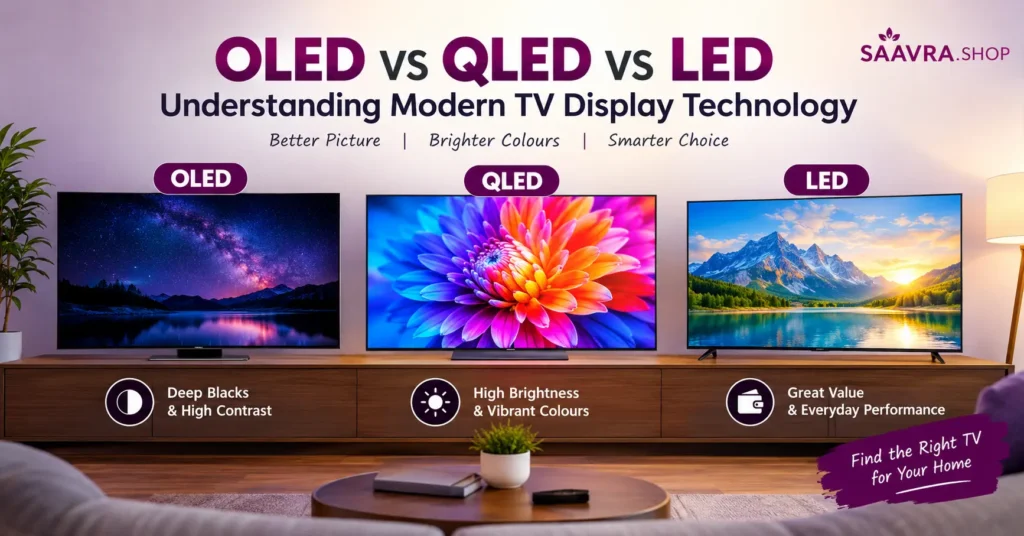
A conventional LED TV generally uses an LCD panel illuminated by LED backlighting. QLED TVs add a quantum-dot layer, which can improve colour volume and brightness. Mini-LED uses much smaller backlight elements and can provide more precise backlight control.
In simple terms:
LED:
Good everyday option and usually easier on the budget.
QLED:
Interesting choice if you want brighter, more vibrant-looking colours.
Mini LED:
Worth considering if you want stronger contrast and HDR performance without moving to OLED.
OLED:
A different display technology using self-lit pixels, generally known for excellent black levels and contrast.
So don’t automatically assume that the most expensive technology is necessary.
For someone watching YouTube, cricket, TV serials and regular OTT content, a good 4K LED TV may be perfectly adequate.
For someone watching lots of movies or playing games, spending more on QLED or Mini LED may make more sense.
4. Don’t Ignore HDR
Here’s another specification that can make a noticeable difference.
HDR stands for High Dynamic Range.
It can provide a wider range between dark and bright areas while allowing compatible content to show more detail and richer highlights.
You may come across formats such as:
- HDR10
- HDR10+
- Dolby Vision
- HLG
But remember one important point:
The TV supporting an HDR format doesn’t automatically mean every video will look like HDR.
The content also needs to support it.
So if you regularly watch high-quality movies and streaming content, HDR support is worth checking before buying.
5. Gamers Should Look at Refresh Rate and HDMI
If your TV is also going to be your gaming screen, don’t stop at “4K”.
Check the refresh rate, input lag and connectivity.
A higher refresh rate can make compatible games feel smoother. Some modern TVs also include features such as VRR (Variable Refresh Rate), ALLM (Auto Low Latency Mode) and HDMI 2.1.
HDMI 2.1 can be particularly useful for newer gaming consoles and PCs because compatible TVs can support higher-bandwidth features such as 4K at higher refresh rates.
Not every gamer needs a 120Hz or 144Hz television, though.
If you mostly play casual games, watch movies and use the TV for normal entertainment, you may not need to spend extra money purely for gaming specifications.
6. Smart TV Software Matters More Than You Think
Imagine buying a beautiful TV and then getting annoyed every time you open an app.
Not fun.
Before buying, check the TV’s operating system and available apps.
Depending on the model, you may find platforms such as:
- Google TV
- Android TV
- Samsung Tizen
- LG webOS
- Fire TV
The interface, app selection, voice controls and updates can vary.
Also check whether the TV has:
Wi-Fi + Bluetooth + enough HDMI ports + USB ports + Ethernet, if required for your setup.
Here’s a simple tip:
If you already use a particular ecosystem at home, choosing a TV that works well with your existing devices can make everyday use easier.
7. Sound Is the Feature People Often Forget
This happens all the time.
People spend hours comparing screen technology and completely forget about sound.
A slim TV simply doesn’t have unlimited space for large speakers.
So check:
- Speaker output
- Dolby Audio/Dolby Atmos support
- Bluetooth audio
- HDMI eARC/ARC
- Optical output
If you’re buying a large TV for movies, you may eventually want a soundbar anyway.
However, if you’re mainly watching news, serials, YouTube and regular TV channels, decent built-in speakers may be enough.
Here’s Where You Should Actually Spend Your Money
This is probably the most useful part.
Don’t simply decide:
“I have ₹50,000, so I’ll buy the most expensive TV I can find for ₹50,000.”
Instead, think about how you actually watch television.
If you mainly watch TV channels and YouTube
Look for:
4K + good picture processing + reliable smart platform + decent sound
You probably don’t need the most advanced panel technology.
If you love movies and OTT
Look for:
4K + HDR + good contrast + strong brightness + better backlight technology
QLED or Mini LED models may be worth exploring.
If you’re a gamer
Look for:
4K + 120Hz/144Hz + HDMI 2.1 + VRR + ALLM + low input lag
If you want a big-screen family TV
Focus on:
Screen size + viewing angles + brightness + sound + easy-to-use software
This is often more important than having every premium specification imaginable.
Before You Buy: Check These 10 Things
Keep this little checklist open while shopping.
☑ Screen size
☑ 4K resolution
☑ Panel/display technology
☑ HDR support
☑ Brightness
☑ Refresh rate
☑ HDMI ports
☑ Smart TV operating system
☑ Speaker output
☑ Warranty and installation
And one more thing:
Check the price history if possible.
TV prices can change substantially during sales, launches and promotional periods. Current Indian TV listings also show a wide range of prices across screen sizes and technologies, so don’t assume that a higher price automatically means a proportionally better viewing experience.
So, Which LED TV Should You Buy?
There isn’t one TV that makes sense for everybody.
A student living in a small room, a family watching daily TV, a movie lover and a serious gamer can have completely different requirements.
That’s why I would suggest doing one simple thing before buying:
Decide how you will use the TV first, and then choose the specifications.
Don’t get distracted by a long list of fancy features that you’ll never use.
A good 4K LED TV can be more than enough for everyday entertainment. If you want richer colours and stronger brightness, look at QLED. If you care about improved contrast and HDR performance, Mini LED is worth exploring.
And if you find a TV that ticks all the boxes and fits comfortably within your budget, that’s when the “Buy Now” button starts looking very tempting!
Quick LED TV Buying Checklist
| Feature | What to look for |
|---|---|
| Screen | 43″, 50″, 55″, 65″ depending on room |
| Resolution | 4K recommended for a new TV |
| Display | LED, QLED or Mini LED based on budget/use |
| HDR | HDR10/HDR10+/Dolby Vision where relevant |
| Refresh Rate | 60Hz for normal use; higher for gaming |
| Gaming | HDMI 2.1, VRR and ALLM for compatible setups |
| Smart TV | Google TV, Tizen, webOS, Fire TV etc. |
| Sound | Check speaker output and eARC/ARC |
| Connectivity | HDMI, USB, Wi-Fi, Bluetooth |
| Warranty | Check brand terms and installation coverage |
⭐ Want to See Current LED TV Deals?
Don’t just settle for the first TV that catches your eye! Check the latest LED TV deals, prices, features and customer reviews before you buy. You might find a better deal than you expected. 👇
👉 Check Latest LED TV Deals & Prices
Final Thought
Don’t buy the TV with the longest specification list. Buy the TV with the features you’ll actually use.
That one rule can save you money—and make your new TV much more enjoyable.

One thought on “Best LED TVs in 2026: 7 Things to Check Before You Buy One”