Buying a new laptop can be surprisingly confusing.
You search for the best laptop, and suddenly you are looking at Intel Core Ultra, AMD Ryzen AI, Apple Silicon, 16GB RAM, 32GB RAM, OLED displays, different SSD capacities, AI features, graphics cards and dozens of laptop models.
And then comes the biggest question:
“Which laptop should I actually buy?”
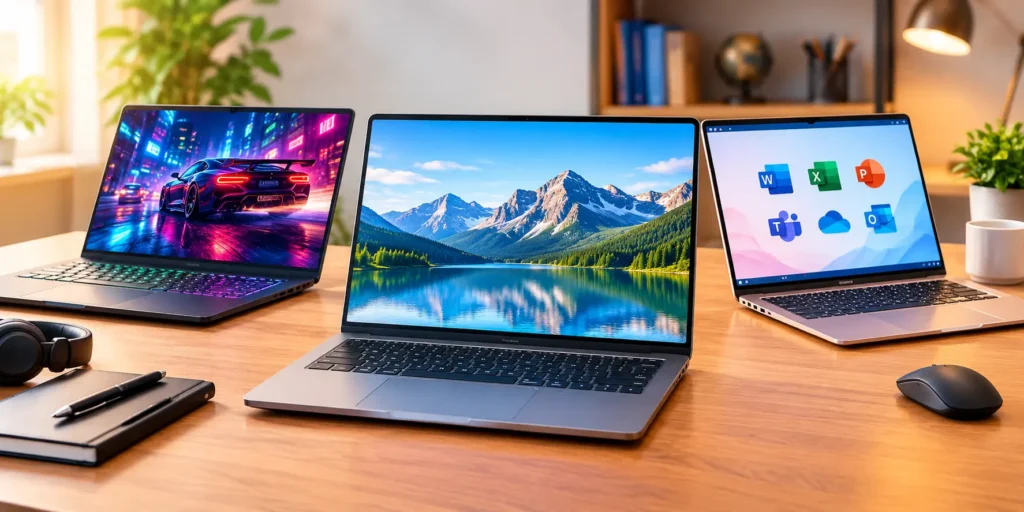
The simple answer is that there isn’t one laptop that is perfect for everyone. A student, office user, programmer, content creator and gamer can have completely different requirements.
But don’t worry. You don’t need to become a computer expert before buying one.
Here are the most important things I would check before spending your money on a laptop in 2026.
1. First Decide What You Actually Need
This is probably the most important step.
Don’t start by looking at laptop brands. Start by thinking about what you will actually do with the laptop.
For students
If you mainly need a laptop for:
- Online classes
- MS Office
- Web browsing
- YouTube
- Presentations
- PDFs and assignments
- Basic photo editing
you don’t necessarily need an expensive high-end machine.
A modern processor, 16GB RAM and an SSD can provide a comfortable everyday experience.
For office work
For Word, Excel, PowerPoint, emails, video meetings and browser-based work, look for a good keyboard, comfortable display, sufficient RAM and good battery life.
If you spend several hours every day working on the laptop, these features can matter more than having the most powerful processor.
For coding
Programming requirements depend on what you develop.
Basic web development doesn’t require the same hardware as Android development, virtual machines, game development or large software projects.
For heavier development work, more RAM and a capable processor can make multitasking much easier.
For gaming and video editing
This is where dedicated graphics become much more important.
Gaming laptops and creator laptops can have significantly more powerful GPUs, but they are generally heavier and may have shorter battery life when performing demanding tasks.
So don’t buy a gaming laptop simply because the specifications look impressive.
Buy it if you actually need that performance.
2. Don’t Ignore RAM
RAM is one of those specifications that you might not think about much when buying a laptop.
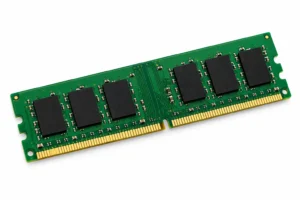
But you will notice it when you start opening lots of applications.
Imagine having Chrome with several tabs open, Word running, WhatsApp or another messaging application open, music playing and Excel working in the background.
This is where having enough RAM becomes useful.
For many buyers in 2026, 16GB RAM is a sensible starting point for a new laptop, particularly if you expect to keep it for several years. Current laptop buying guides commonly use 16GB RAM and 512GB SSD as a practical baseline for general multitasking.
If you’re buying a laptop for demanding professional applications, development, content creation or other memory-heavy workloads, 32GB can make more sense.
3. SSD Storage Makes a Big Difference
If you’re still considering an old-style hard disk as your primary laptop storage, I’d think twice.
An SSD can make everyday operations feel much quicker, including starting Windows, opening applications and accessing files.
For a new laptop, 512GB SSD is a good starting point for many users.
However, think about your personal storage requirements.
If you store lots of:
- 4K videos
- Photos
- Games
- Large software packages
- Project files
you may eventually want 1TB or more.
And here’s a small tip that can save you frustration later:
Don’t look only at the storage number. Check whether the laptop allows storage expansion.
Two laptops can have the same 512GB SSD today, but the upgrade options can be completely different.
4. Processor Names Can Be Confusing
This is probably where many buyers get lost.
You may see Intel, AMD, Apple and Qualcomm processors with several different generations and model numbers.
Instead of simply thinking:
“This processor has a bigger number, so it must be better.”
look at the complete processor model and consider what you actually need.
Modern laptops increasingly include processors designed for AI workloads as well as traditional CPU performance. But an AI label alone shouldn’t be the reason you buy a laptop.
Your everyday experience still depends on the complete package:
Processor + RAM + SSD + cooling + display + battery + software.
A balanced laptop can be much more enjoyable to use than a machine with one impressive specification and several compromises elsewhere.
5. Display Quality Is More Important Than You Think
Here’s something people sometimes discover only after buying a laptop:
You look at the screen every single day.
So don’t choose your laptop purely by processor and RAM.
Check:
- Screen size
- Resolution
- Brightness
- Panel type
- Refresh rate
- Colour quality
- Anti-glare properties
- Touchscreen, if required
For normal office work and studying, a good Full HD or higher-resolution display can be perfectly adequate.
If you edit photos or videos, however, colour reproduction becomes much more important.
OLED displays can look fantastic, especially for movies and creative work, but they can also increase the price.
So ask yourself whether you will actually benefit from the upgrade.
6. Battery Life Matters If You Travel
A laptop that lasts comfortably through your working day can be much more useful than one that needs to stay connected to a charger most of the time.
Students who carry their laptop to college, people working from cafés, frequent travellers and professionals moving between meetings should pay particular attention to battery performance and weight.
Also remember that advertised battery life is not necessarily the same as what you will experience.
Brightness, applications, browser tabs, video playback, Wi-Fi and workload can all affect battery life.
So before buying, look for real-world battery tests rather than relying only on the manufacturer’s headline number.
7. Don’t Forget the Ports and Keyboard
This sounds boring until you need a port that isn’t there.
Before buying, check whether the laptop has the connections you actually use:
- USB-A
- USB-C
- HDMI
- Headphone jack
- SD or microSD card slot
- Ethernet, if required
USB-C is particularly useful, but don’t assume every USB-C port supports exactly the same features.
Also pay attention to the keyboard.
If you’re going to type thousands of words on the machine, keyboard comfort matters.
A backlit keyboard can also be useful if you frequently work at night.
So, What Is the Best Laptop?
Instead of asking:
“What is the best laptop?”
I think a better question is:
“What is the best laptop for the way I use my computer?”
That’s because there are excellent laptops aimed at completely different users.
A lightweight laptop may be ideal for a student or traveller.
A business laptop may make more sense for someone spending eight hours a day working.
A powerful gaming laptop may be the right choice for someone who needs a dedicated GPU.
And a premium laptop may appeal to someone who prioritizes build quality, display and portability.
Current 2026 laptop roundups similarly separate recommendations by use case rather than treating one model as universally suitable.
A Simple Laptop Buying Checklist
Before pressing the Buy Now button, quickly check these:
☐ Is the processor suitable for your workload?
☐ Does it have at least 16GB RAM if you want comfortable multitasking?
☐ Is there a 512GB SSD or enough storage for your files?
☐ Is the display comfortable for long-term use?
☐ Does the battery meet your daily needs?
☐ Is the laptop light enough for you to carry?
☐ Does it have the ports you need?
☐ Can the RAM or SSD be upgraded?
☐ Does it have a comfortable keyboard?
☐ Are you comparing the exact model/configuration rather than just the laptop series?
That last point is particularly important.
The same laptop series can sometimes be sold with different processors, RAM, storage and display configurations.
Before You Buy: Check the Current Deal
Laptop prices can change frequently, and online retailers may offer different discounts, bank offers, exchange deals or limited-time promotions.
So if you’ve already found a laptop that matches your requirements, it makes sense to check its current price before making the final decision.
👉 Check the current laptop deal on Amazon
This is an affiliate link. If you purchase through this link, we may earn a commission at no additional cost to you.
Final Thoughts
Buying the best laptop doesn’t necessarily mean buying the most expensive laptop.
In fact, spending extra money on features you never use isn’t particularly useful.
Instead, try to find a laptop with a good balance of performance, RAM, storage, display, battery life, portability and price.
For many everyday users, a modern processor, 16GB RAM and a 512GB SSD are a sensible starting point. More demanding users may benefit from additional RAM, larger storage or a dedicated GPU.
And before you buy, take one final look at your actual requirements.
Because the laptop that looks the most impressive on a specification sheet isn’t automatically the laptop that will make the most sense for you.
Choose the laptop that fits your work, your budget and the way you actually use your computer.